Brand
How Ionori looks
The logo, colours, fonts, the people of the Ionoriverse and how we write: everything you need to show Ionori or write about it.
The logo
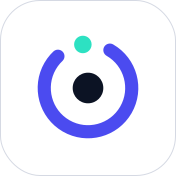
The mark is an ion ring: an open ring in Ion, the core in the middle and an electron in Charge sitting in the opening. Beside it stands the wordmark IONORI in Quicksand SemiBold, with Talaryon Labs below.
Compact
Without Talaryon Labs, for navigation and headers.
Clear space
Leave at least as much room all around as the core is wide.
Small sizes
Below 64 px the electron is left out and the ring gets stronger, so the mark stays sharp.
Please don't
-
Don't rotate it. The ring's opening always faces the top left.
-
No other colours. The ring is Ion, the electron Charge.
-
Don't distort it. Ring, core and electron stay round and in their places.
-
No effects. No shadow, no gradient, no blur.
App icon
The icon is the ion ring on a rounded square. The dark one is the standard, the coloured and the light ones are for special places.
- Standard, on Ink
- Coloured, on Ion
- Light, on white
Colours
Four colours carry the brand, three more are derived from them. Ion is the one accent, Charge the spark beside it.
-
Ink
#0C1324
The dark ground: headers, the top of every page, the app's sidebar. Ink stays Ink in both themes.
Paper on Ink 17.3:1
-
Ion
#4B4BF0
The main colour: the ring, buttons, links and everything you tap.
White on Ion 5.9:1
-
Charge
#2DE1C2
The spark: the electron and the second accent, above all on Ink.
Ink on Charge 11.2:1
-
Paper
#F6F7FB
The light ground for pages, and the text on Ink.
Ink on Paper 17.3:1
Derived
-
Ion light #ECECFE
Areas in Ion: chips, notices, backgrounds.
Ion dark on it 7.3:1
-
Ion dark #3434C8
Text and links in Ion on light ground.
White on it 8.5:1
-
Dark Charge #0B6B5B
Charge for text on light ground: encrypted, confirmed, new.
On white 6.4:1
Fonts
Two fonts, clearly apart: Quicksand is round and friendly, Atkinson Hyperlegible Next is made to be easy to read.
Quicksand
For the wordmark and headings. SemiBold (600) for IONORI, Bold (700) for headings.
All your people in one universe
Atkinson Hyperlegible Next
For text and the interface. Regular (400) for text, SemiBold (600) for what should stand out.
Sarah asks in the family group who picks up Mia. Alex takes it, and the appointment sits right in the chat.
Headings and buttons are in sentence case, never all capitals. Capitals are for the wordmark only.
The Ionoriverse
Three pieces join the logo and make Ionori playful: orbits, the people of the Ionoriverse and stickers.
Orbits
Rings around a core show how everything belongs together: you in the middle, your worlds on their orbits. They sway slowly and stand still when someone has asked for less motion.
The people of the Ionoriverse
Round ions with faces stand for the people who use Ionori. They sit on the orbits, in the scenes, and peek over the edge at the end of every page.
Stickers
Pieces of the app stick to their planets as stickers: a light area, an outline in Ink and a hard shadow to the bottom right.
Tones
- Ion
- Deep Ion
- Light Ion
- Charge
- Paper
Moods
- Smile
- Joy
- Wink
- Oops
- Round, two eyes and a mouth, nothing else.
- Only in these five tones, the face in Ink or Paper.
- They stand for people, never for Ionori itself. Ionori's sign stays the ion ring.
- Only whoever stands in the middle carries the electron.
Voice
Ionori talks like someone who knows their way around and likes to help: direct, calm and without jargon. Every text exists in German and in English.
We talk to you
Like this:Create your Ionori ID
Not like this:Users can create an Ionori ID
Buttons start with the verb
Like this:Take the appointment
Not like this:Appointment takeover
Sentence case
Like this:Confirm new device
Not like this:Confirm New Device
No exclamation marks
Like this:Saved
Not like this:Successfully saved!
Plain words, not technology
Like this:Your history comes along
Not like this:The history key is being synced
Downloads
The mark and the app icon as SVG. Set the wordmark in Quicksand SemiBold with 7 % tracking.




Get started with Ionori
One Ionori ID for everything, quickly set up, with a passkey instead of a password.